


 Blog Posts
- How to choose a CRM for a five-person teamname · slug · post-body · post-summaryReady
- Email deliverability checklist for 2026Scheduled for Sep 29Scheduled
- What a good onboarding email sequence looks likeLive on your blogPublished
site cited by 


 and rank on


Each approved article is served as a Webflow collection item with the field names your blog template already uses, ready for a script to post.
Blog PostsYour field names
Each article comes back shaped like your collection, ready for a script to postPremium and MaxRankveo does the research, writing, and review. Each approved article is served as a Webflow collection item, using the field names Webflow's blog template uses, so a short script or automation can post it and keep it updated.
The item uses Webflow's blog template fields. Rename them in your script if your collection differs.
The draft flag follows the article's status in Rankveo, so nothing goes live before approval.
Report the item id back once and later syncs update the same item, keeping its slug.
Best for marketing sites on Webflow with someone who can wire a short script or automation.
Three founders, a few months after they started using Rankveo.
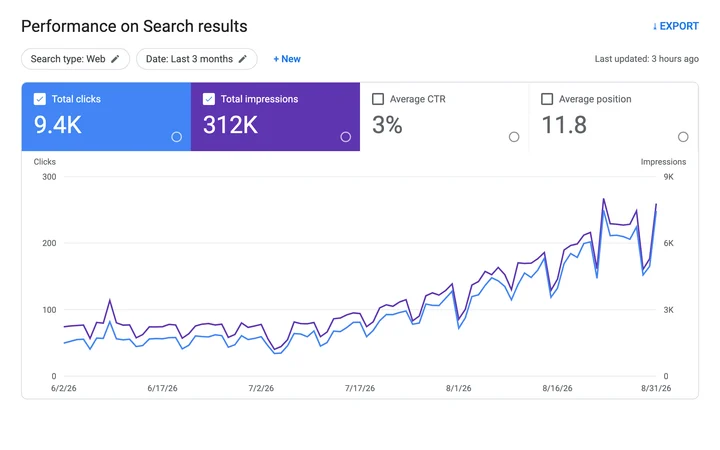
Weekly reporting for an edtech team
“I used to chase our marketer for an SEO update every Friday. Now I read the Monday email over coffee and that's it. Last week ChatGPT cited us 128 times. I didn't even know you could track that.”
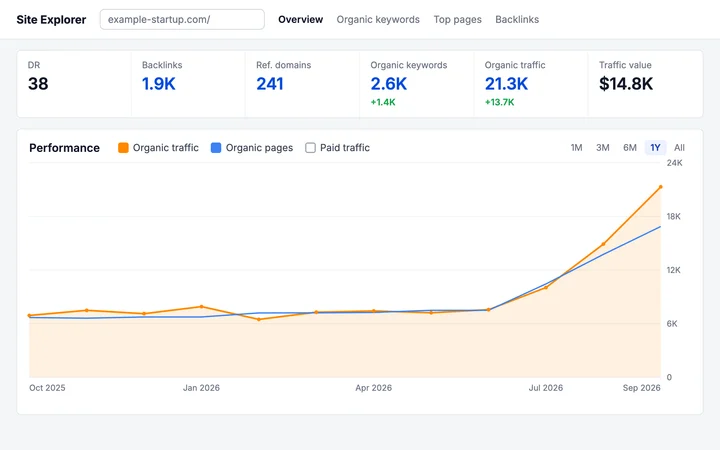
Daily publishing for an AI startup
“We sat at about 7k visits a month for most of last year. Started publishing daily in June, and by September we were at 21k. Two customers on onboarding calls said ChatGPT sent them.”
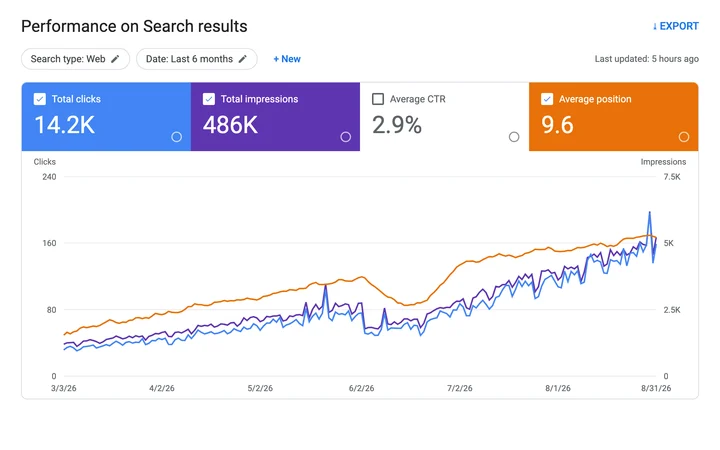
Client SEO for a product studio
“Each client blog was eating around 40 hours of my month. Now I skim the drafts, fix a line or two, and hit publish. We took on twice the clients without hiring.”
 Plans & Pricing
Start with one website, then scale your publishing and monitoring as your search presence grows.
Publish to WordPress, Shopify, Webflow, Framer, Ghost, Wix, and more through direct integrations.
Yes. Plans include between 500 and 1,000 AI visibility refreshes each month.
Yes. Move to a higher-capacity plan whenever your publishing or monitoring needs increase.
For growing companies that want higher publishing and monitoring capacity.
 20,000 AI credits 500 AI visibility refreshes 100 articles per month SEO + AI visibility tracking Content planning and publishing One paid website
Highest capacity for demanding search operations, $199 a month.
45,000 AI credits 1,000 visibility refreshes 200 articles per month 20x API and crawl capacity How it connects, what it changes on your site, and how billing works.
Not yet. Today Rankveo prepares each approved article in the shape Webflow accepts, and a short script or automation posts it with a Rankveo API key. A native connector is planned.
Premium and Max issue full-scope API keys. Every plan can issue a blog-scope key, which serves published articles to a site that renders them itself.
No, as long as your script reports the Webflow id back to Rankveo after the first post. Later syncs then update that item instead of adding a copy.
The payload uses name, slug, post-body, post-summary, and published-on, which is Webflow's blog template. If your collection names them differently, map them in your script.

 Shopify An embedded Shopify app that researches what shoppers ask, drafts articles for your review, and publishes the approved ones to your store blog.
 WordPress The official plugin. Approved articles arrive as WordPress drafts, scheduled ones keep their date, and every sync updates the same post.
 Framer Framer renders the design; Rankveo supplies the articles as CMS records, one per collection item, with rich text as HTML.